SmartChamber-3D
Home
Donate
Get a Free Activation Code
  • English
  • 简体中文
Home
Donate
Get a Free Activation Code
  • English
  • 简体中文
  • Introduction
  • Quick Start
  • Hardware

    • Source Files
    • PCB Fabrication
    • Bill of Materials (BOM)
    • Soldering Assistant

      • Main Control Board
      • Heater Board
    • Assembly Instructions
    • Hardware Design Concepts and Principles
    • Hardware wiring diagram
  • Software

    • Function Description
    • Control Logic and Functional Details
    • Firmware Download
    • Firmware Flashing
    • Firmware activation
  • 3D printed parts

    • Introduction
    • Bill of Materials (BOM)
    • Main Frame Installation
    • Modules

      • Module – Source Files
      • Module – Main Controller
      • Module – Exhaust Fan
      • Module – Power Input
      • Module – Drawer
      • Module – Pegboard
      • Module – Blank
      • Module - LOGO
  • FAQ
  • DONATE

Module – Drawer

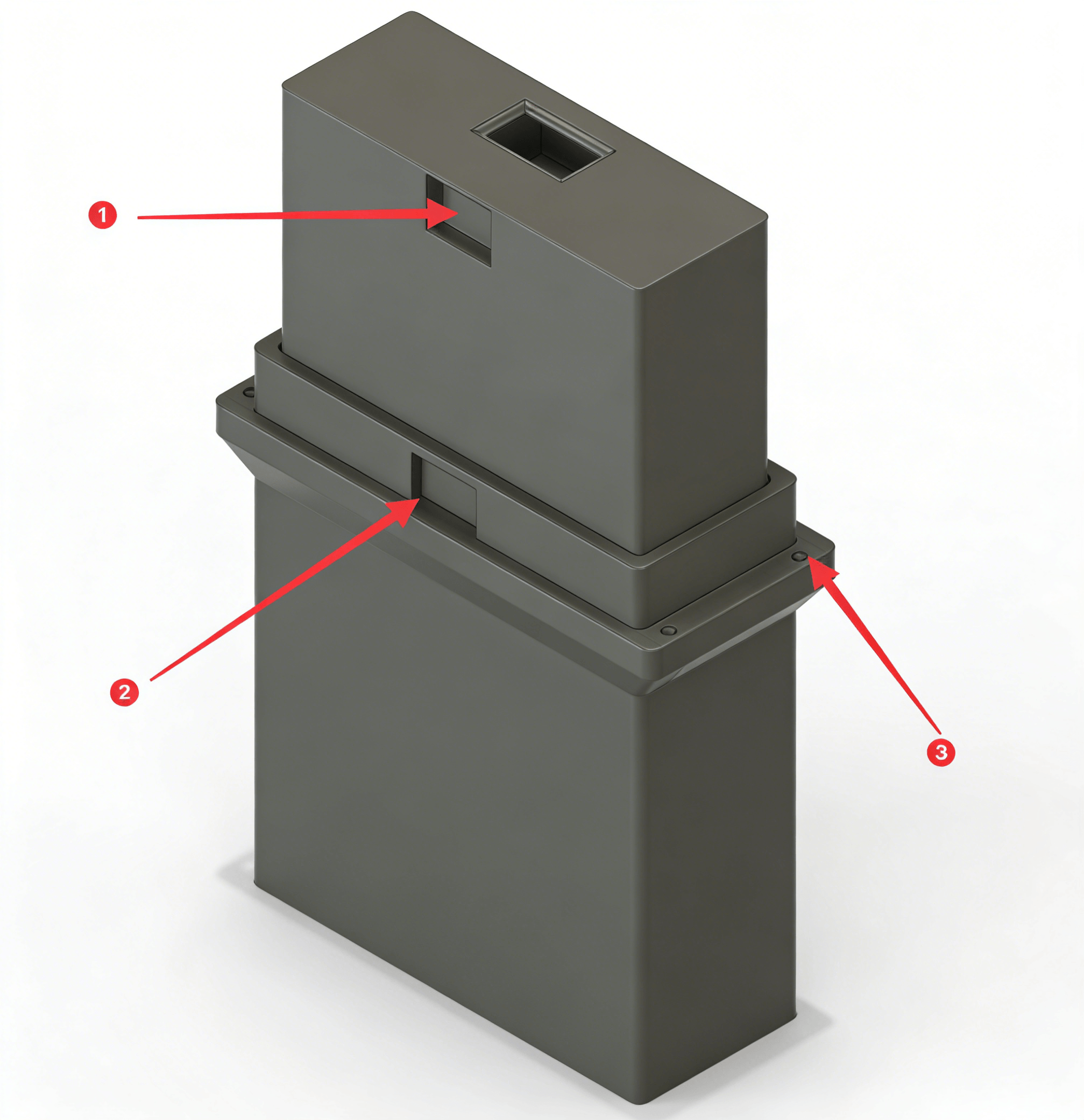
  1. Magnet 20 × 10 × 5
  2. Magnet 20 × 10 × 2
  3. Phillips flat head screw M3 × 6

Installation Tips

  • Fix the magnets with glue.
  • If the drawer front is not flush after closing, add EVA foam to the rear of the drawer.
Last Updated: 3/15/26, 3:34 AM
Contributors: physton
Prev
Module – Power Input
Next
Module – Pegboard
Developed by Phyton.com
CC BY-NC-SA 4.0 — Free to use, modify, and share for non-commercial purposes with attribution and same license.