Module – Main Controller
Installs the main control board, display, and 12V 4010 fan.
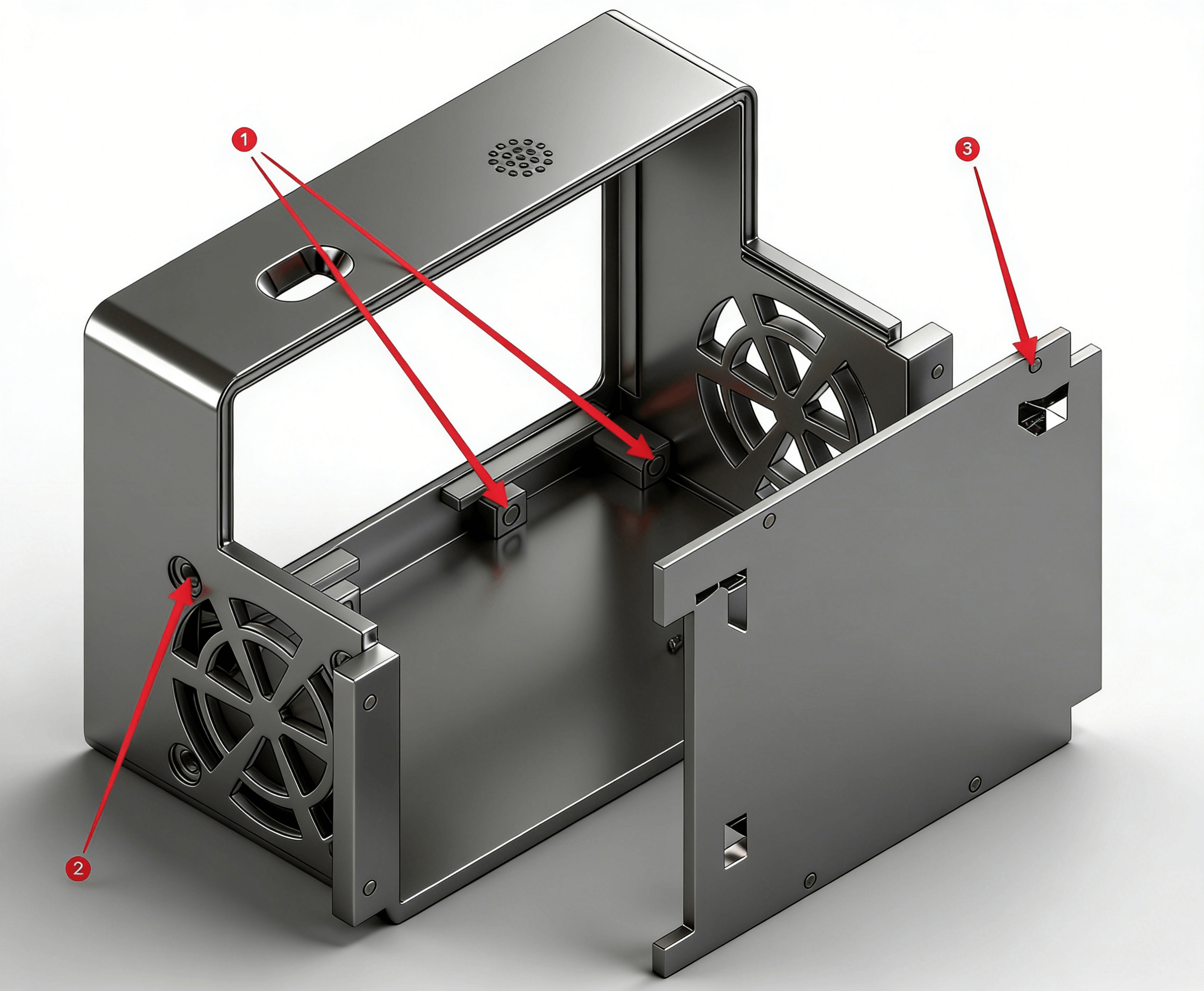
- Heat-set insert M2 × 3 × 3.2
- Phillips flat head screw M3 × 16 + M3 nut
- Phillips flat head screw M2 × 4
Installation Tips
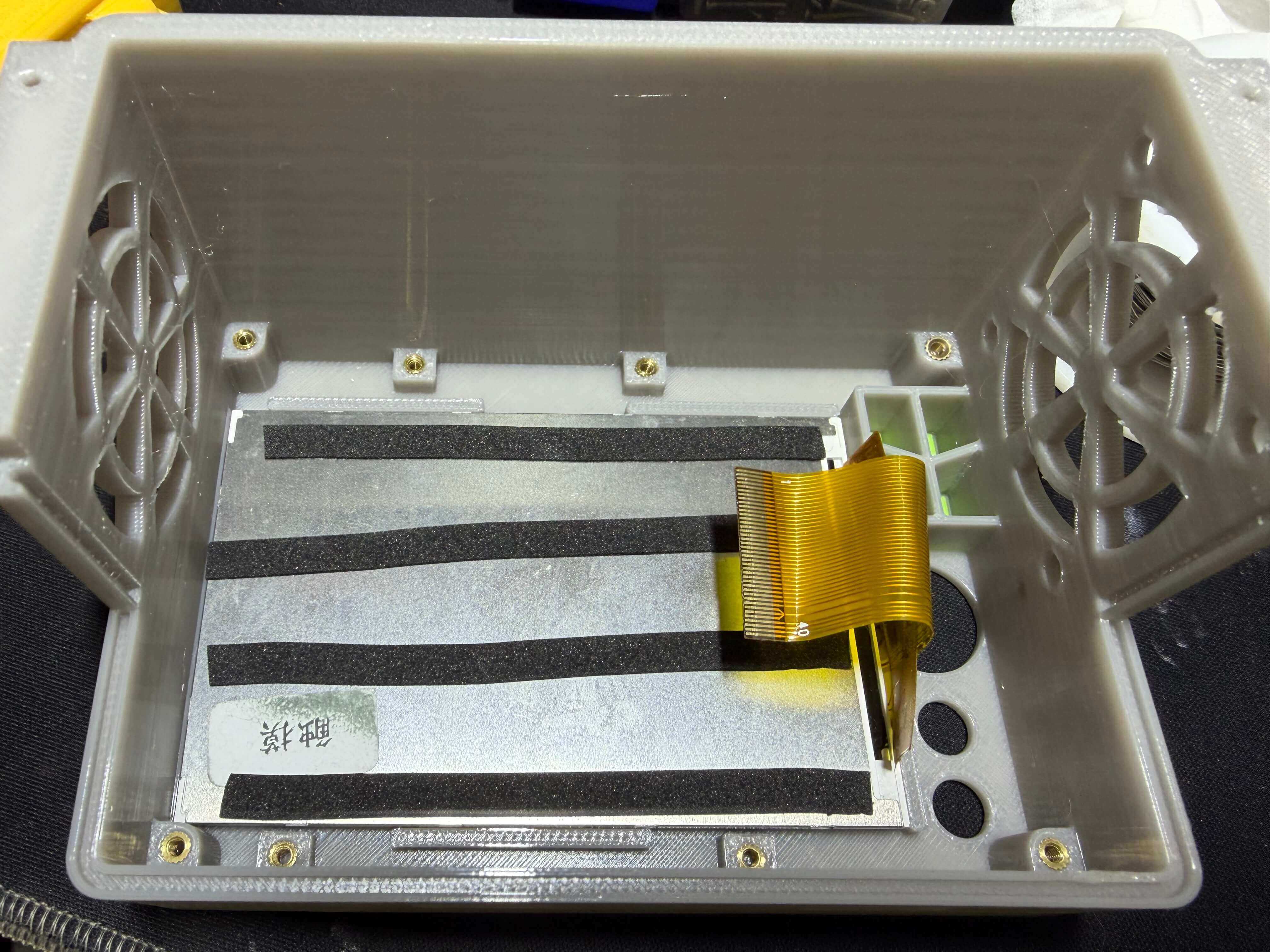
- Place the screen first, then cover with the backplate and tighten screws.
- If there is a large gap between the screen and backplate, add EVA foam to fill it.
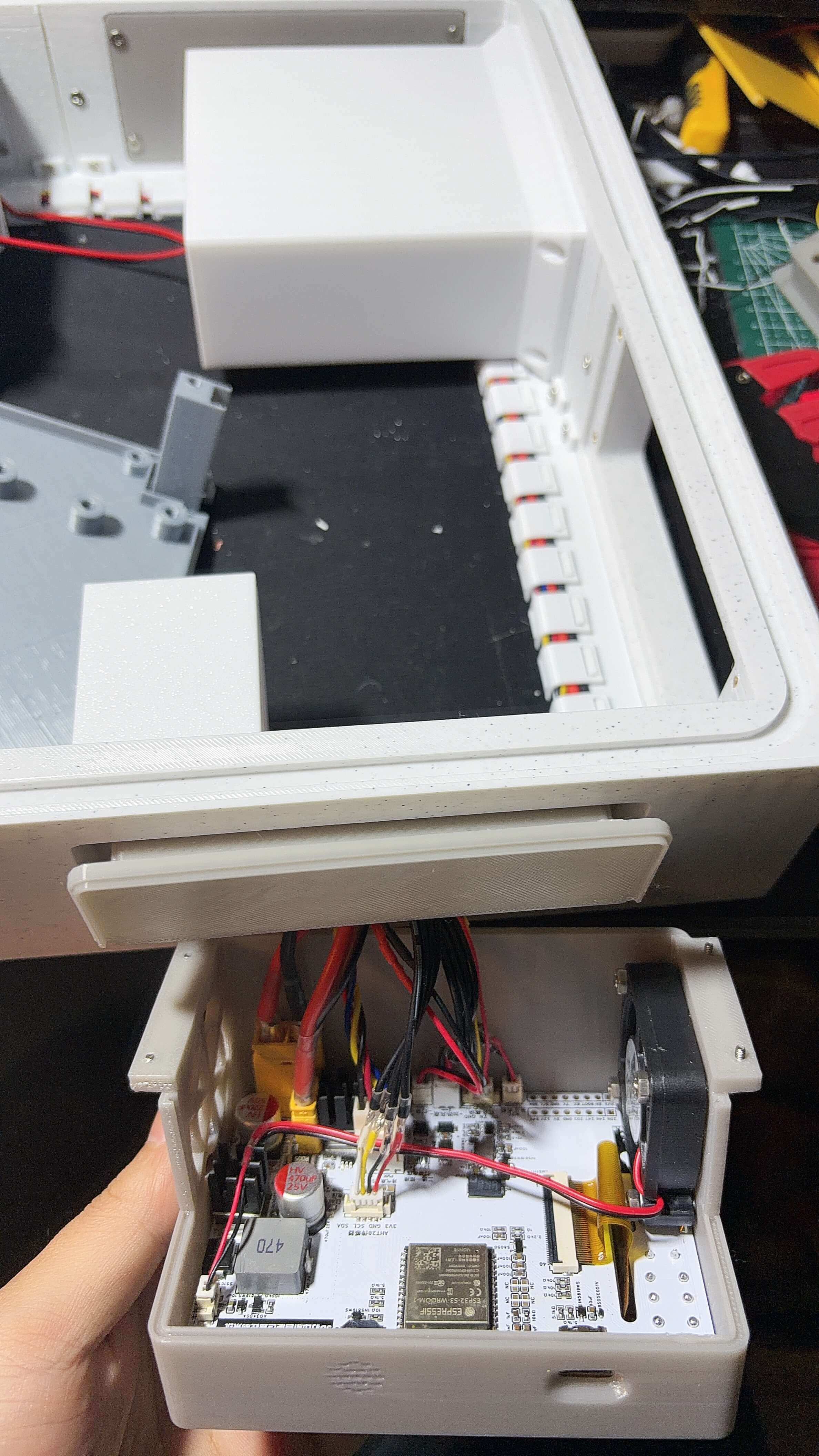
- Place the main control board and route the screen cable through the cutout, then insert the screen cable into the FPC connector.
- Install the 4010 fan. Airflow direction: fan front facing outward, rear facing inward (blowing inward).
Post-Install Checks
- The screen does not wobble when pressed.
- The fan spins freely without rubbing.
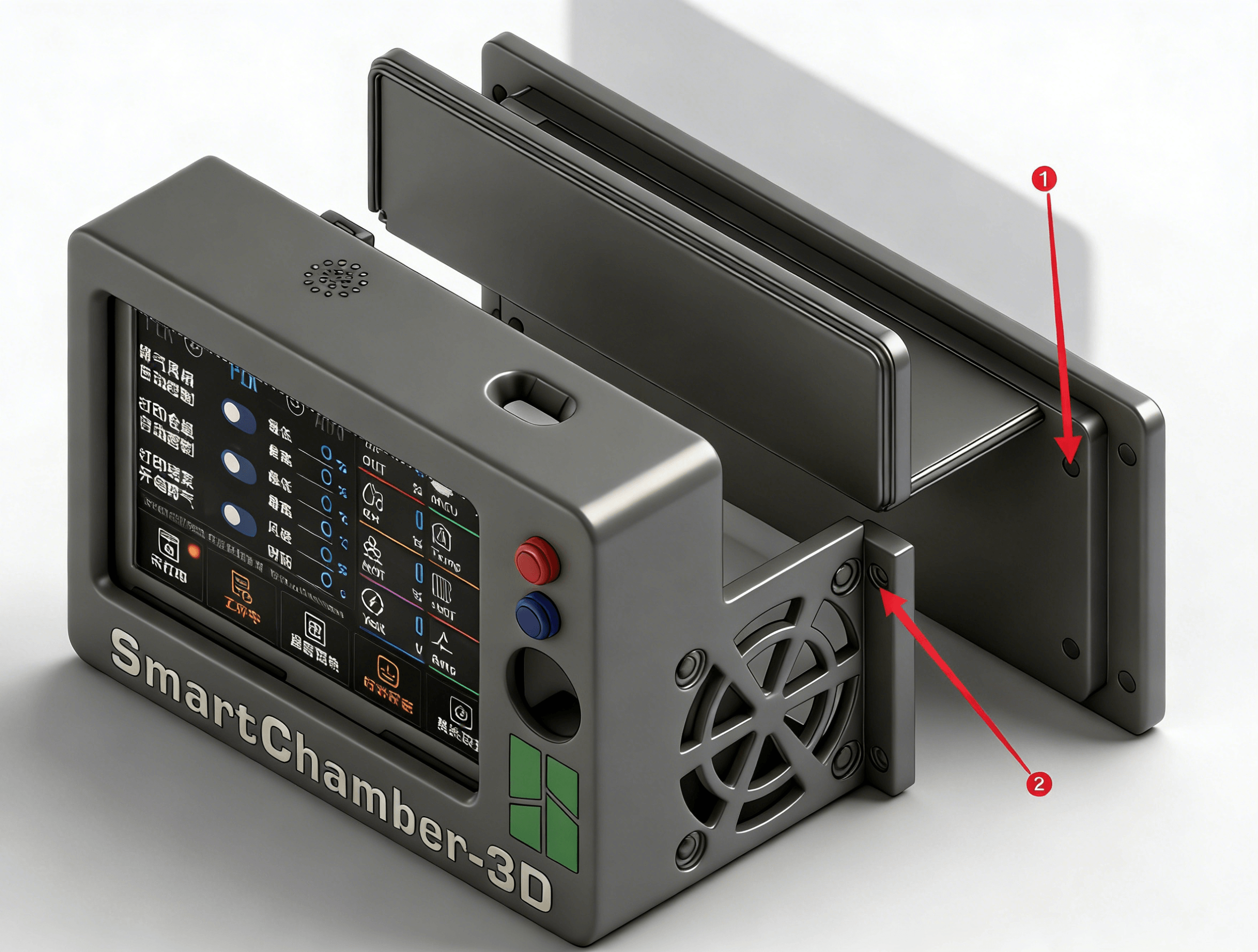
- Heat-set insert M2 × 3 × 3.2
- Phillips flat head screw M2 × 6
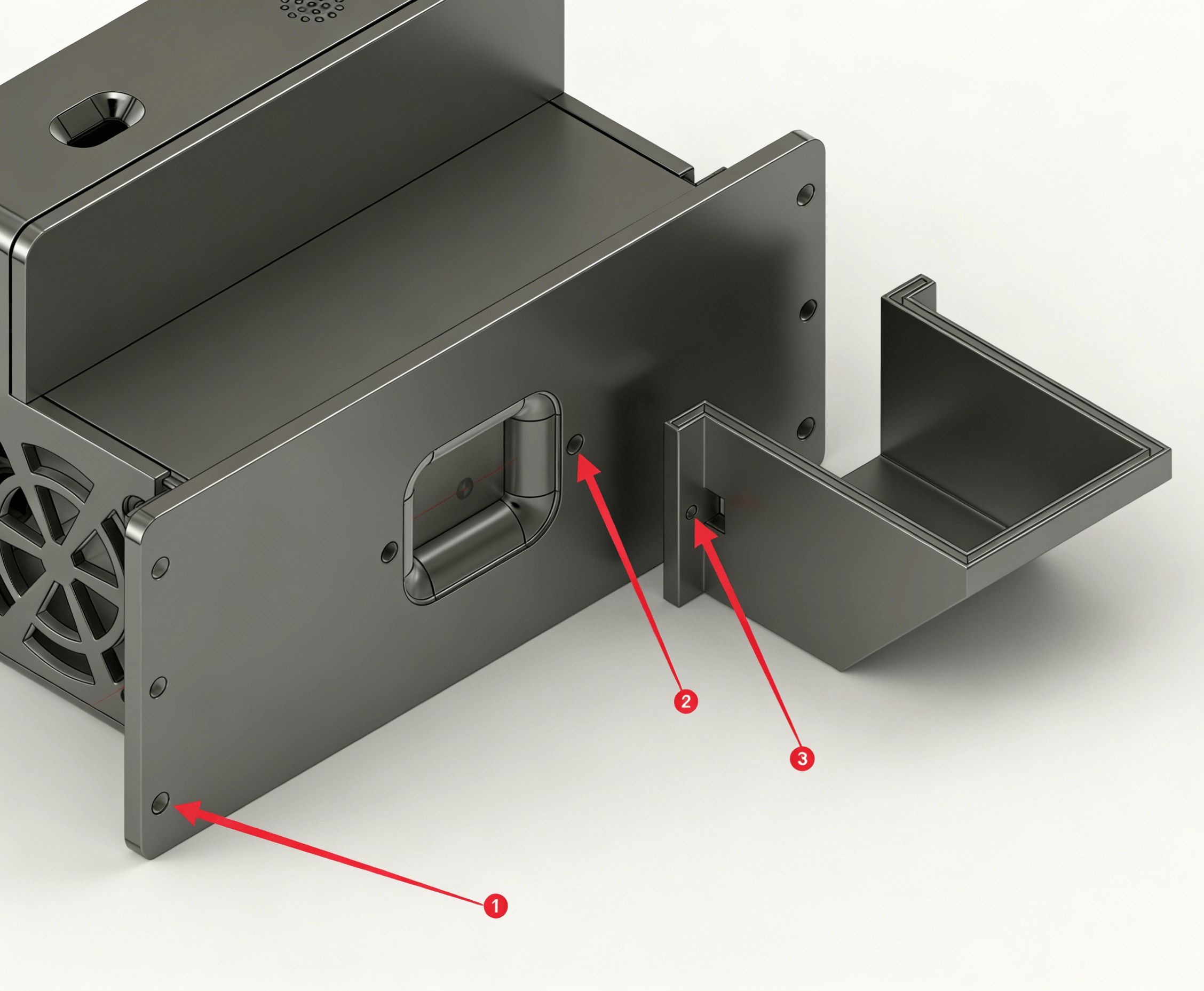
- Phillips flat head screw M3 × 6
- Heat-set insert M2 × 3 × 3.2
- Phillips flat head screw M2 × 6